Synthetic Transactions Monitoring is proactive monitoring of the quality of service from an end user point of view (User Experience). An end-to-end transaction for a service is simulated and measured. The transaction models the user interaction with the service. Examples of synthetic monitoring are invoking the URL for a website periodically.
For example, an e-mail service has to be monitored from an end user perspective, then it is not just about monitoring the e-mail server, but also simulating the user experience by sending a mail and receiving a mail. This indicates the actual user experience.
The following are the key services that can be monitored using SapphireIMS
HTTP
FTP
To configure service resources for performance monitoring, go to 'Settings > Business Service Monitoring > Synthetic Transactions'. For more information refer to the topic Settings->Business Services->Synthetic Transactions.
On the SapphireIMS menu, point to 'Performance' and click 'Synthetic Transactions'. The listing of all synthetic transaction monitoring which is configured is displayed.
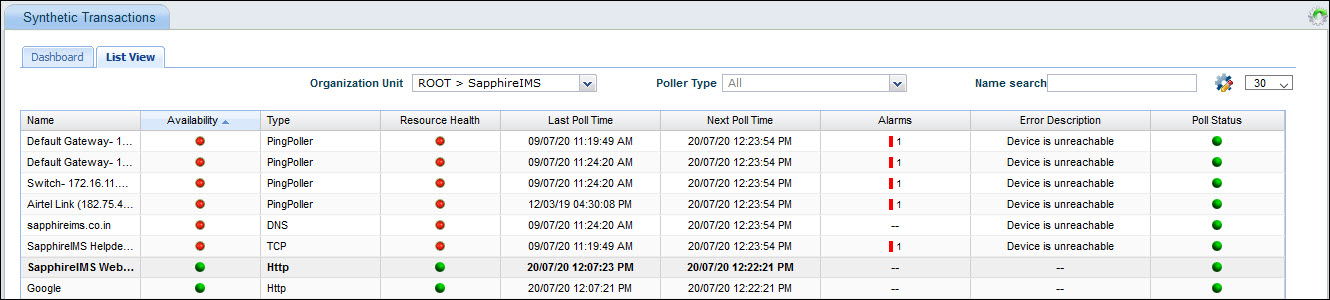
Select an 'Organization Unit' to filter the search. You can also filter by Poller Type or search for a specific transaction.
The split of alarms as Info, Warning and Critical is displayed along with the counts. Clicking on any alarm indicator, causes the Alarm List View to be displayed in a pop-up containing the alarm details.
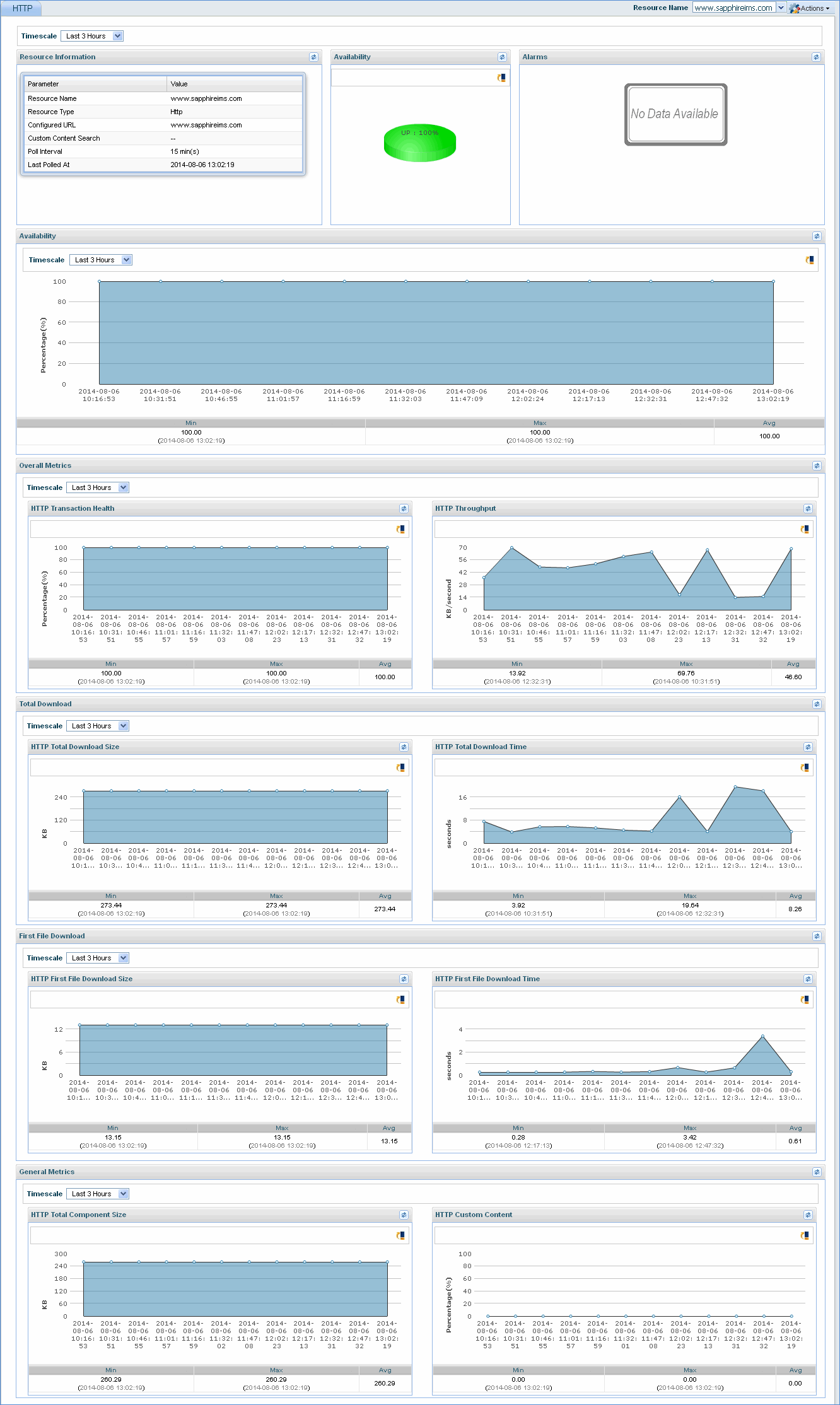
Click the synthetic transaction name to view the details for the particular synthetic transaction along with alarms generated.
Click the Customize icon' '
to customize the List View display.
'
to customize the List View display.
Click 'Dashboard' to view the dashboard.
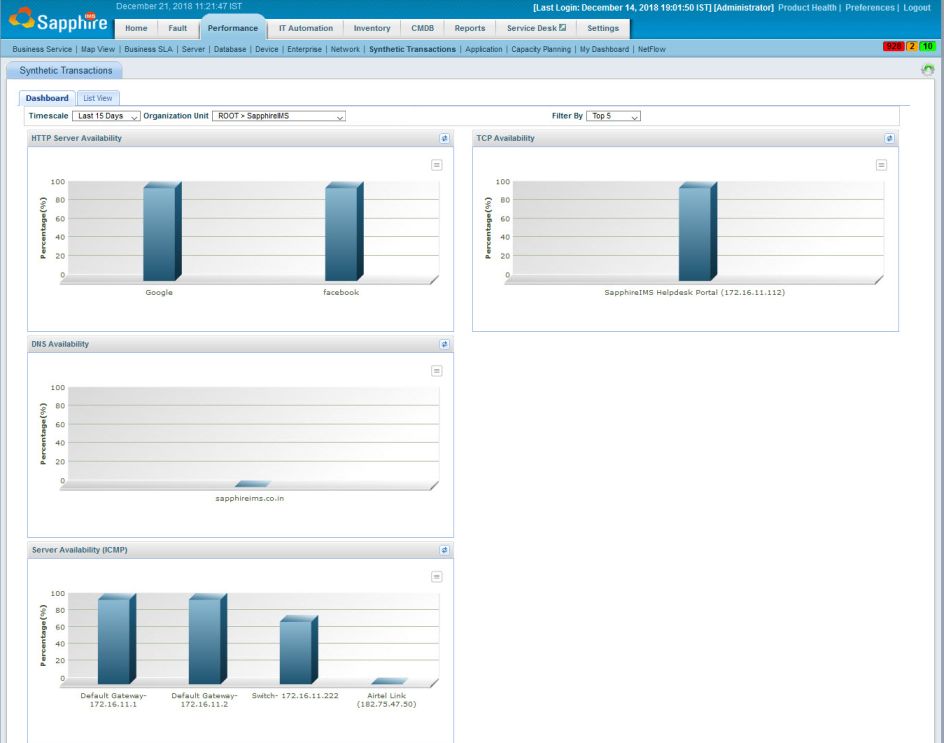
Select the 'Timescale' filter which can be a fixed period or a custom time where you can specify the From and To dates.
Select the 'Organization Unit' to filter data only for a specific OU.
Select the 'Filter by' to get the dashboard view for one of either Top 2, 5 or 10 or Bottom 2,5 or 10 synthetic transactions.
Click a server to view the detailed resource information. Click here to refer to the image.