Priority indicates how quickly the service desk personnel should attend to the service desk record.
Different priority levels for the default services in each ITIL project can be defined in this section that will be used to define a priority matrix.
User can select the priority levels at the time of submitting the service desk record. (See How to submit incident via web? )
The default priority levels for Incident Management, Problem Management and Service Request Fulfillment templates are from P1 to P5. The default priority levels for Change Management are from P1 to P3.
In addition to the above mentioned default priority levels, you can add new priority levels as explained below.
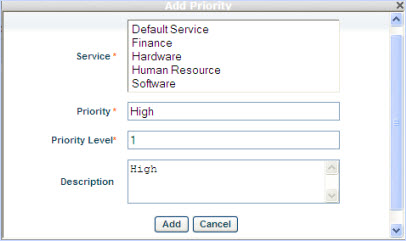
1. Click 'ADD' to add new priority level and select the service/services that the priority level will belong to.
2. Type the priority level name in 'Priority' text box
3. Type the priority level in 'Priority Level' text box (enter a number only)
4. Type a user friendly description of the priority level in 'Description' text box
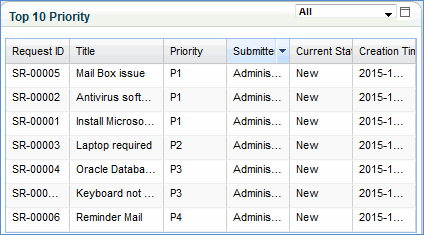
Note: A dashboard with top ten tickets having priority is displayed in the service desk 'My Home' page of the user. The top ten priority tickets are selected based on the date of submission and priority level, i.e. most recently submitted tickets with priority as P1 are considered.