
SapphireIMS can interface with an SMS Gateway using which SMS notifications
can be sent. This topic describes the steps to interface SapphireIMS with
an SMS Gateway.
 Note: The Wireless Messenger
plug-in is no longer required for sending SMS notifications. By
default, the Global Settings are set to interface with the Wireless Messenger.
You need to change this setting. In the Global Settings, search for the
setting 'Send alerts from wireless messenger' and set the value as '0'.
Refer to Settings->Advanced
Systems Settings->Global Settings for the steps to change
Global Settings.
Note: The Wireless Messenger
plug-in is no longer required for sending SMS notifications. By
default, the Global Settings are set to interface with the Wireless Messenger.
You need to change this setting. In the Global Settings, search for the
setting 'Send alerts from wireless messenger' and set the value as '0'.
Refer to Settings->Advanced
Systems Settings->Global Settings for the steps to change
Global Settings.
Click 'Settings' and then in the 'Advanced System Settings' section click 'SMS Settings'. The following screen is displayed.
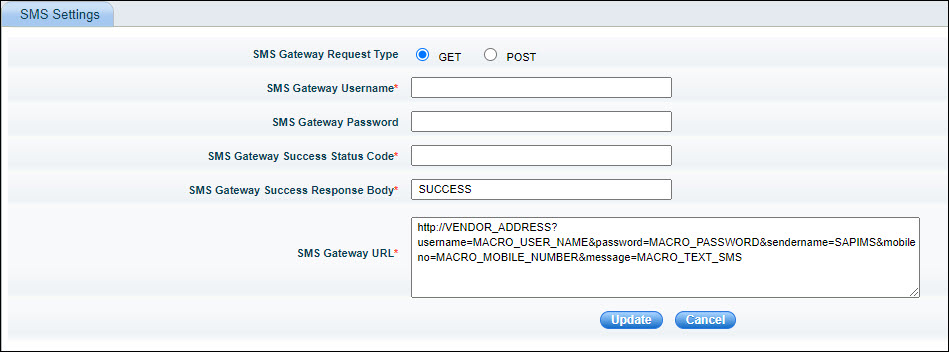
The fields are described in the table below.
|
Click on 'Update' to save the configuration.