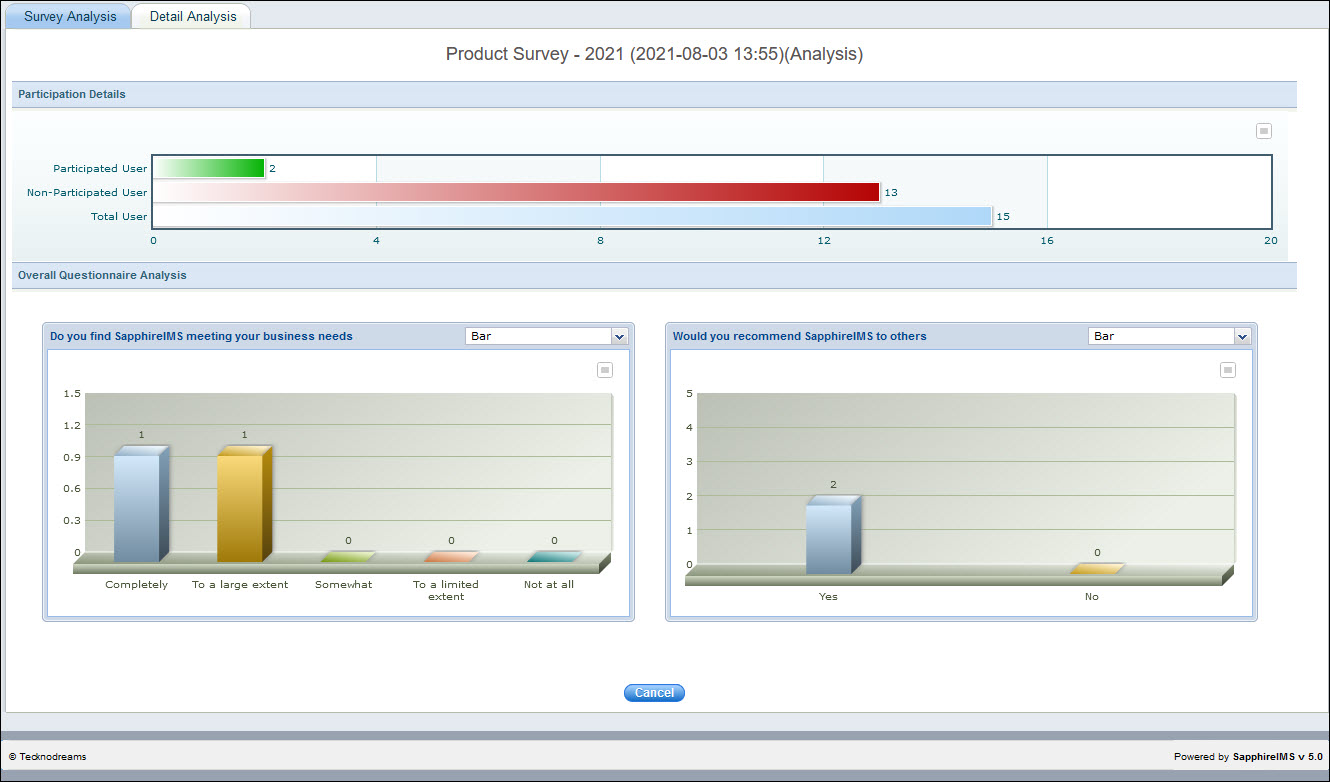
Survey Analysis presents a graphical view of the user participation statistics and the questionnaire analysis.
To view the survey analysis, click the 'Settings' tab, from 'Service Desk Configuration' section, click 'User Surveys'
Click on the  icon against the survey
in the listing screen to open the survey analysis. Note that the listing
contains both survey and feedback results. Analysis of Feedback results
is detailed in the topic Settings->Service
Desk Configuration->User Surveys and Feedback->Feedback Analysis.
icon against the survey
in the listing screen to open the survey analysis. Note that the listing
contains both survey and feedback results. Analysis of Feedback results
is detailed in the topic Settings->Service
Desk Configuration->User Surveys and Feedback->Feedback Analysis.
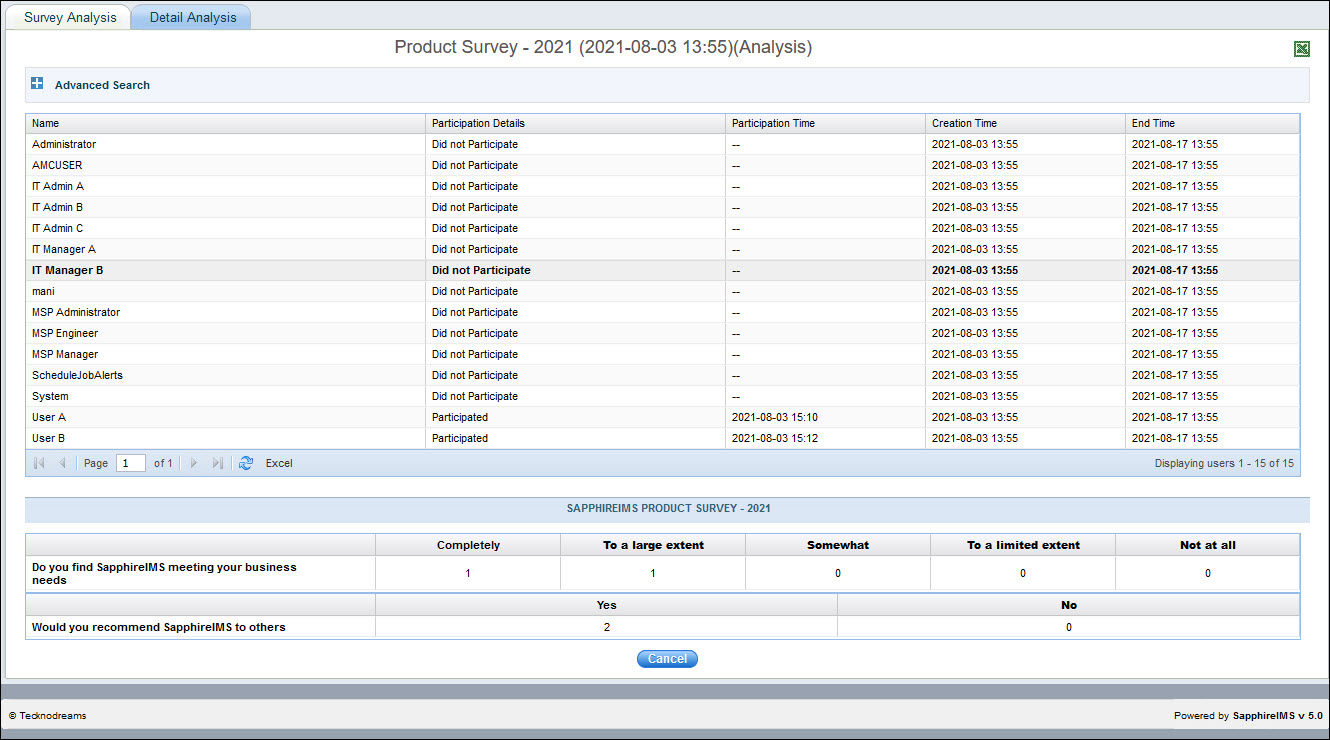
Click on 'Detail
Analysis' tab to view the list of users who have not participated
in the survey. You can also view the details in an Excel sheet by
clicking on  .
.