
The section below lists down the steps to submit a service request manually using the 'New Service Request' tab.

To submit a request, on the service desk menu, point to 'Service Request' and click 'New Service Request'
Fill in the details in the 'New Service Request' page as per the explanation given in the table below and click 'Submit'
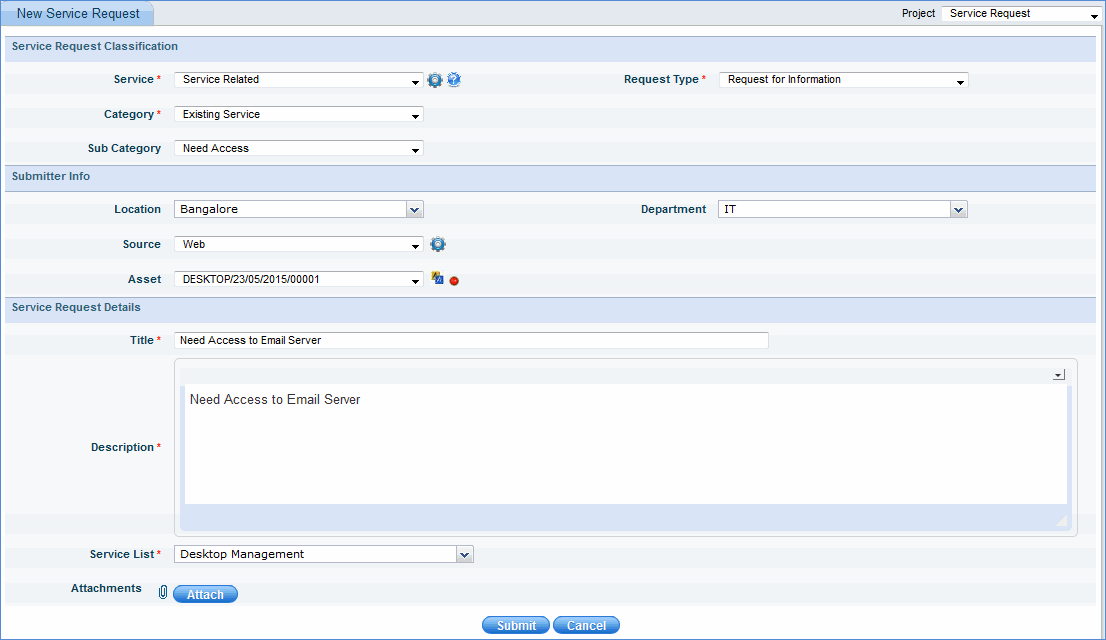
|
A confirmation message with the 'Request ID' will be displayed as shown below.

 icon
icon '
'