
Profiles are means to manage the discovery settings and data collection types in a simplistic manner. Profiles are classified into three major categories
Exclusion IP List [Exclusion lists is primarily used by discovery rules]
DHCP Scope [DHCP Scope Info is primarily used by discovery rules]
Credentials [Credentials is primarily used by discovery rules and data collection for devices]
To manage the profiles perform the following
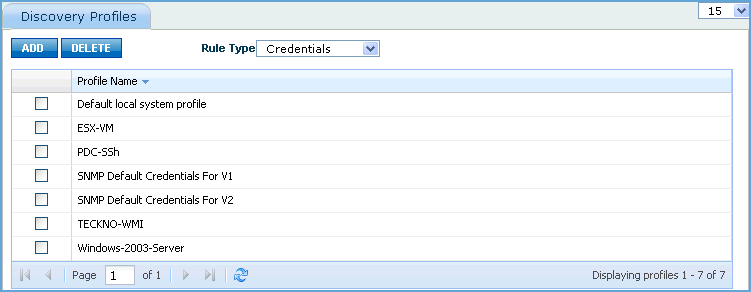
1. Click 'Settings' and from 'Asset and Inventory Management' section click 'Profile Manager'. This will list the profiles that are currently defined.
2. Select the appropriate option in the rule type list box (viz. Exclusion IP List/ DHCP Scope/ Credentials]. The screen will list the profiles configured for the selected type.
3. Click profile name and view/edit the configuration settings. This will impact the discovery and data collection rules whichever uses this profile. This will also take into effect the subsequent discovery and data collection operations.
4. Click 'ADD' to add a new profile. In the 'Global Settings' window enter the 'Credential Name' and select the 'Credential type'. Depending on the credential type selected enter the credential details. For a detailed explanation on the credential details refer to 'Configuring The Discovery' section.
[ Home | Top of page | Previous Page | Next Page ]