It is the graphical representation of the mapped assets in SapphireIMS. Each asset is drillable and relations between the assets as defined in Relationship Configuration are displayed
To access it, on the SapphireIMS menu, point to ‘CMDB’ and click ‘Tree View’.
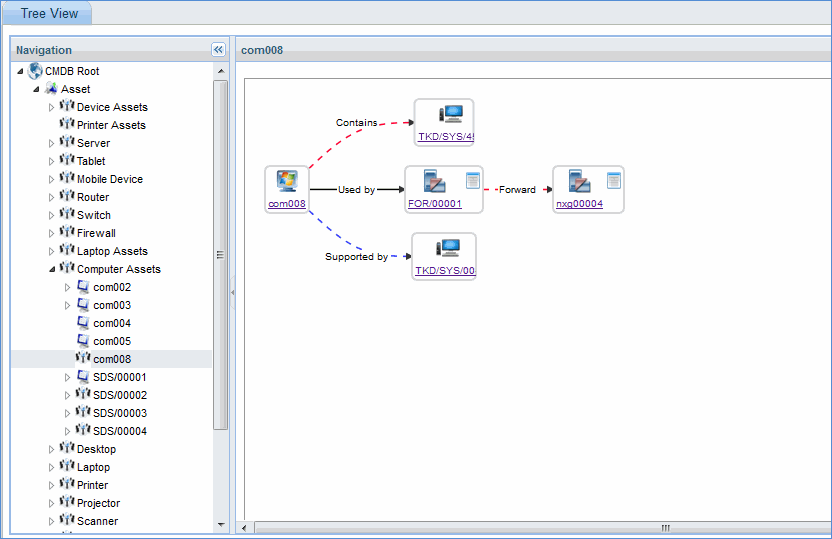
Navigation Pane: Displays hierarchy of devices
All the forward and inverse relations with respect to computer asset com008 along with the connection style that is configured is displayed. Click on any device to drill down to the device particulars.
Note: Click on View
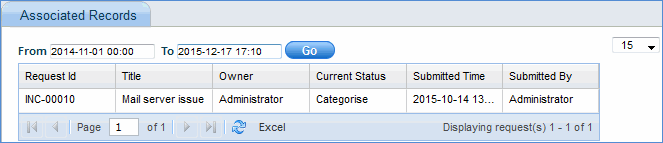
Records icon ' ' to view the associated service desk
records as shown in the image below
' to view the associated service desk
records as shown in the image below