
SapphireIMS has an in-built feature to manage the Field Force. This is useful in managing services which require a mobile workforce. With the capabilities to capture images using the camera, signature capture, integration of the phone dialer and SMS, notifications on the mobile and coordinates capture, workflows can be created for various use cases which require managing a mobile workforce. Examples of this could be a team of field service engineers deployed for carrying out service activities on-site, asset management etc.
While the other features have been covered, this topic covers the coordinate capture and usage of the field staff. An additional field needs to be configured for the coordinates of the user. When the user logs in on the Mobile App and signs-in to Service Desk, the users coordinates captured using GPS are periodically updated to the server. When a record is submitted, the submitter's location is also captured with the record. Subsequently when the record is submitted, at the time of assignment, a map is displayed with the engineers and their location. The record can be assigned to the nearest engineer.
Enable the latitude and longitude capture as follows.
Click on 'Settings', 'Global Settings' under 'Advanced System Settings'.
Search for 'Enable capturing of Latitude Longitude Service'.
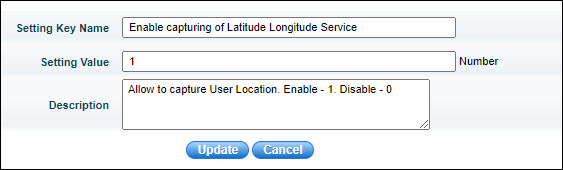
Set the field 'Setting Value' as 1. Click on 'Update'.
Next search for 'Latitude Longitude Service Interval Time'.
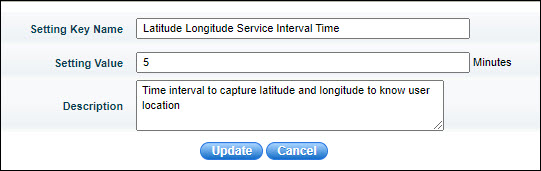
Set the field 'Setting Value' to the interval at which the coordinate information should be collected. By default it is 5 minutes. Click on 'Update'.
Create an additional field for the users whose name should be 'Latitude and Longitude'. The value for this field can be set to any initial value. To create user additional fields refer to Settings->User Management->User Creation in SapphireIMS->Additional User Information.
Click on the 'Submit as' option and select 'Assign' to assign the selected record. Refer to Service Desk->Basic Operations->State Transitions->Assigning the Record to a Service Desk Engineer for more information.
When the coordinates capture is enabled, the following screen
is displayed for assignment. Click on the  icon
and the location may displays with the submitter (in green) and the
nearby engineers locations (in red).
icon
and the location may displays with the submitter (in green) and the
nearby engineers locations (in red).
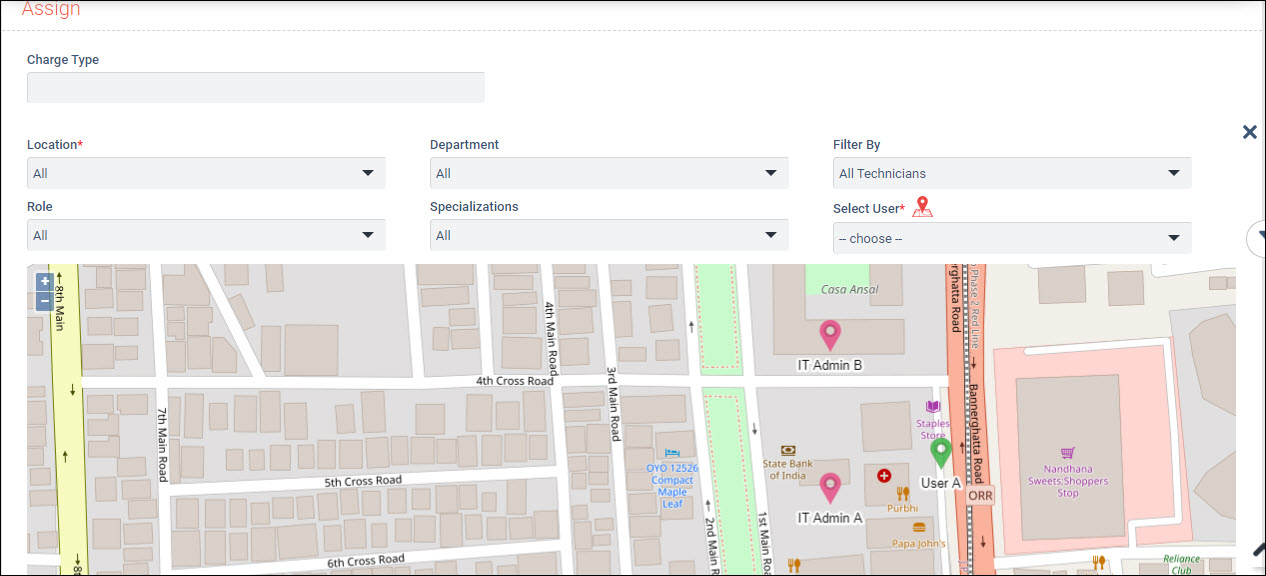
Click on the location icon of the engineer to whom the record has to be assigned and the user field is automatically populated. The last known coordinates received from the engineers are used.
The rest of the process follows the normal assignment process.
 Note: 1. The engineers who
are in the proximity of the submitter are displayed (proximity is based
on the first 5 digits of the latitude and longitude being the same. If
the submitter's coordinates are 12.912188,77.599795 then all engineers
with the coordinates starting with 12.912xxx,77.599xxx will be displayed.
Also the engineers in the same location as the submitter will be displayed
and limited to 10 engineers.
Note: 1. The engineers who
are in the proximity of the submitter are displayed (proximity is based
on the first 5 digits of the latitude and longitude being the same. If
the submitter's coordinates are 12.912188,77.599795 then all engineers
with the coordinates starting with 12.912xxx,77.599xxx will be displayed.
Also the engineers in the same location as the submitter will be displayed
and limited to 10 engineers.
2. The engineers should have GPS enabled. Also they need to be signed-in to service desk.