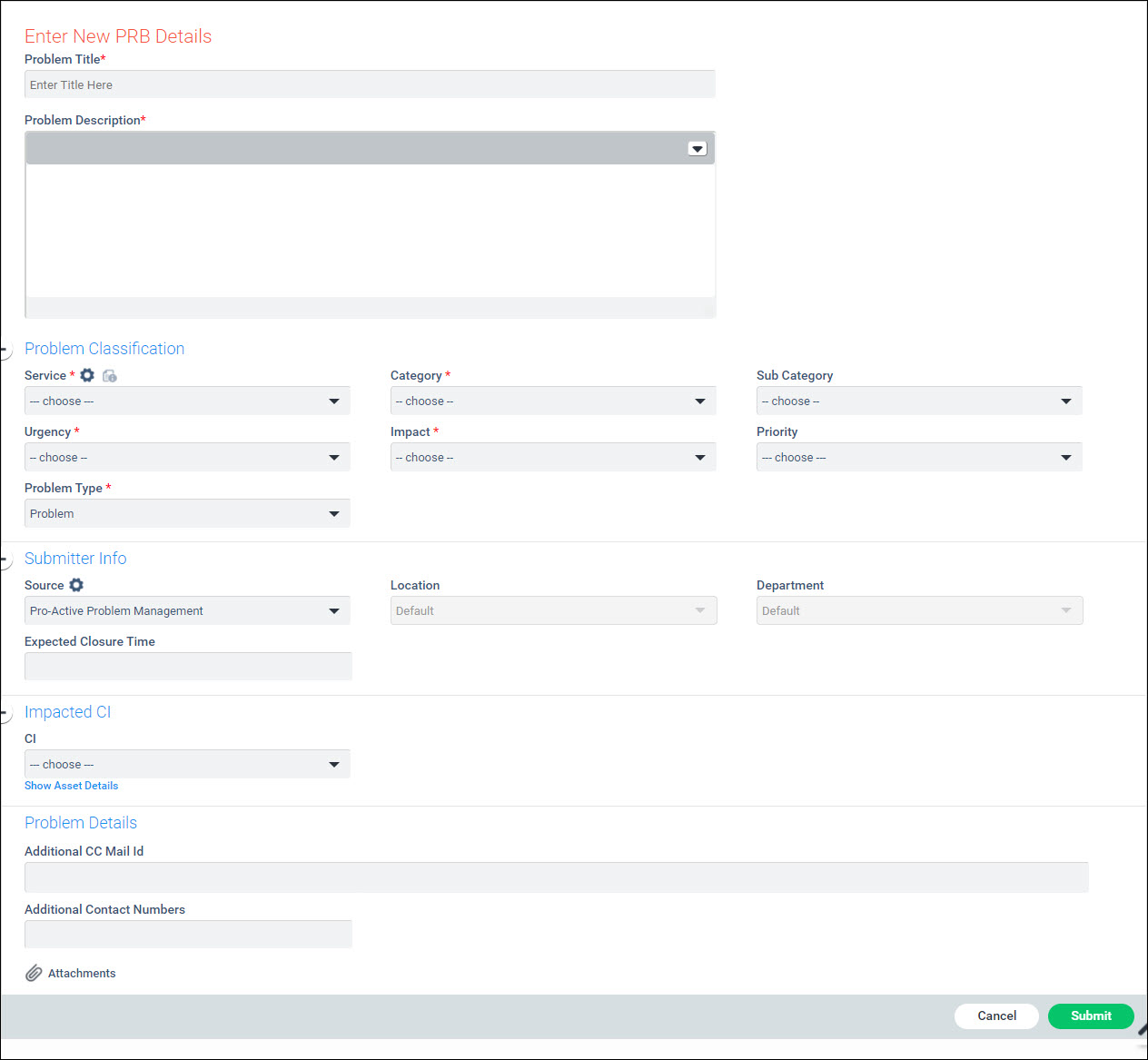
Serial
No |
Field
Name |
Description |
1 |
Title |
Type
the problem title or the nature of problem |
2 |
Description |
Type
the brief description or the nature of problem |
3 |
Service,Category,
Sub Category |
Select
the 'Problem Category' based on the type of problem you want to
submit |
4 |
Impact, Urgency, Priority |
Select
the 'Urgency', 'Impact' and 'Priority'
from the drop down list boxes based on how quickly you want the
problem to be resolved
|
5 |
Problem Type |
Currently
the only value it takes is 'Problem'. |
6 |
Source |
Select
the source of the problem record which can be either proactive
creation
(Pro-active Problem
Management) or submitted from incidents (Bulk Record
Submission) |
7 |
Location |
Select
the Location of the submitter. |
8 |
Department |
Select
the Department of the submitter. |
9 |
Expected Closure Time |
Enter
the expected closure time for the problem. |
10 |
CI |
In case the problem
pertains to an asset or any other configuration item you can select
it. Refer CI
Details |
11 |
Additional CC Mail Id |
'CC Mail Id' text box can be
used if the problem request details needs to be copied to a person
in particular
|
12 |
Additional Contact Numbers |
Type
any additional contact numbers |
13 |
Attachments |
'Attach'
helps you attach any additional supporting documents that might
be of help to the support engineers |