
SapphireIMS allows sending of e-mails from within the application and keeping the history of conversations along with the record.
 Note: To use this feature,
the SMTP server needs to be configured. Refer to Service Desk->Settings->Email
& SMS Notifications->SMTP Settings for configuring the
SMTP server. You will also need to configure the server for incoming mails
for which you need to refer to Settings->Service
Desk Configuration->Email to Record Configuration->Email to Record
Configuration.
Note: To use this feature,
the SMTP server needs to be configured. Refer to Service Desk->Settings->Email
& SMS Notifications->SMTP Settings for configuring the
SMTP server. You will also need to configure the server for incoming mails
for which you need to refer to Settings->Service
Desk Configuration->Email to Record Configuration->Email to Record
Configuration.
Anyone who has access to the Service Desk record can send an E-mail. Click on 'Email Support Staff' option to list the E-mails.
If the enclosure access control is enabled for the role in the
project, the E-mails are marked as 'Public' or 'Private', they are
indicated using the icons and
and  against them.

Click on 'Send Mail' button to send a new mail.
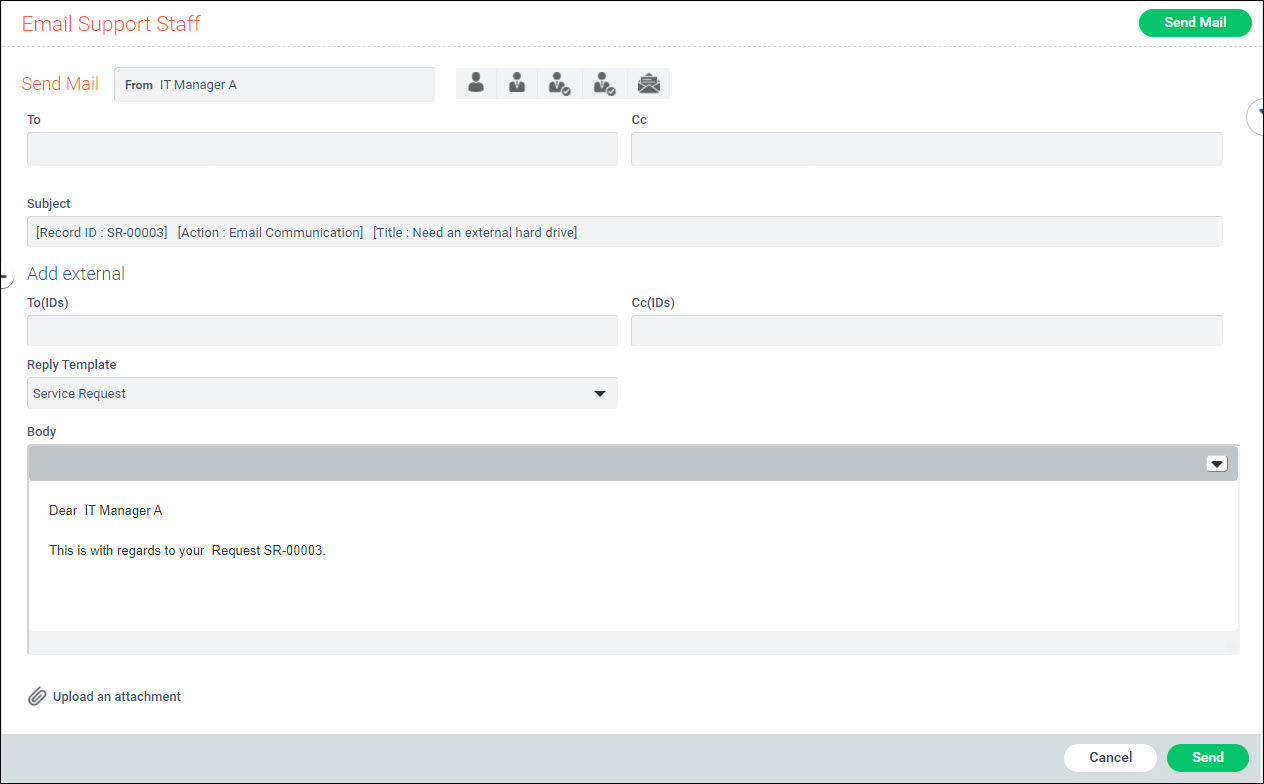
You can select the recipients using the given icons as described below to populate the 'To' or 'Cc' fields. By clicking on the icon, the corresponding e-mail IDs are filled in. You can also type in the email address. Auto suggestion feature is also available and you can select among the recipients suggested. You can add multiple email addresses.
|
Reply Templates can be configured for use while sending Email. If Reply Templates are configured then you can select the 'Reply Template' to use. Refer to Service Desk->Settings->Email and Notifications->Reply Template. Note that this field appears only of a template is available.
Expand the 'Add External' section by clicking on '+'. This displays additional To and Cc fields which can be used to enter any additional mail IDs.
After entering the text in 'Body' and including any attachments, click on 'Send' button.
During the course of resolving issues, SapphireIMS allows e-mail communication to take place from the context of the ticket and any conversation is preserved along with the ticket.
Click on 'Email Support Staff' option. A listing with the e-mails sent is displayed

Click on the mail which you want to view. The mail content is displayed.
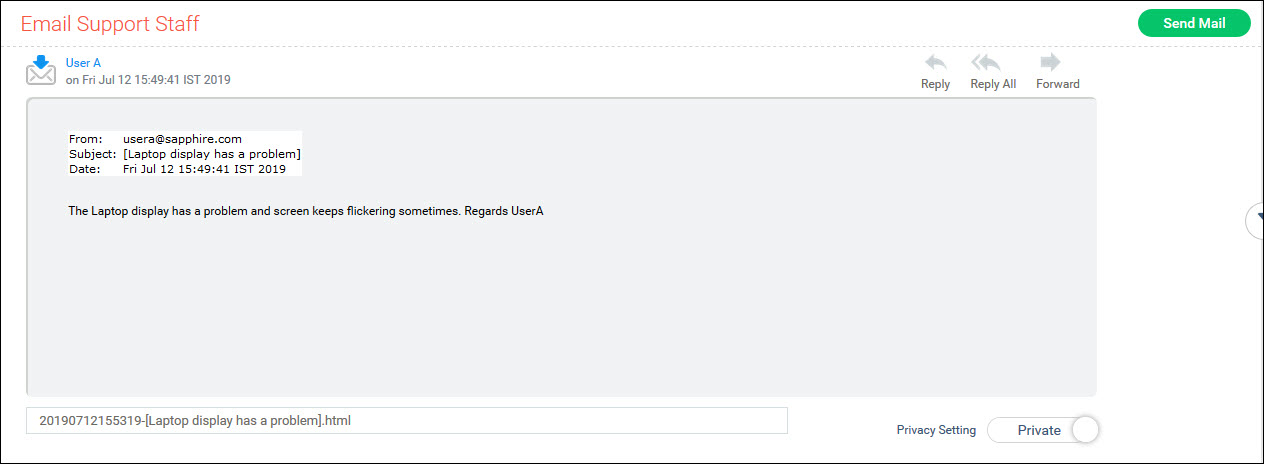
Click on attachments to open them.
You can do a 'Reply' or a 'Reply All' to the mail or 'Forward' it.
By default, any conversations associated with the ticket where the submitter is not included in the 'To' or 'Cc' fields is hidden from the submitter. This is to allow the IT engineer working on the case to communicate internally within IT. However you may want to share some information with the submitter for which you can make the e-mail visible by setting the 'Privacy Setting' to 'Public'. This is useful, for example when there are comments in an e-mail response from an approval manager or some suggestions from another IT engineer which you want to share with the submitter and without having to explicitly forward.
The icons against the mails are described below.
|


